
Mobile App Development Company in Gurgaon
Put your business on your customers’ home screen. We design and build Android, iOS and installable web apps (PWA) for bookings, orders, loyalty and field teams – fast, simple and easy to use.
- One codebase for Android & iPhone (Flutter)
- PWA option – install from your website, no store needed
- Push notifications, payments & WhatsApp
- Play Store & App Store publishing included
Get a free quote
Reply within 24 hours
Apps in your customers’ hands
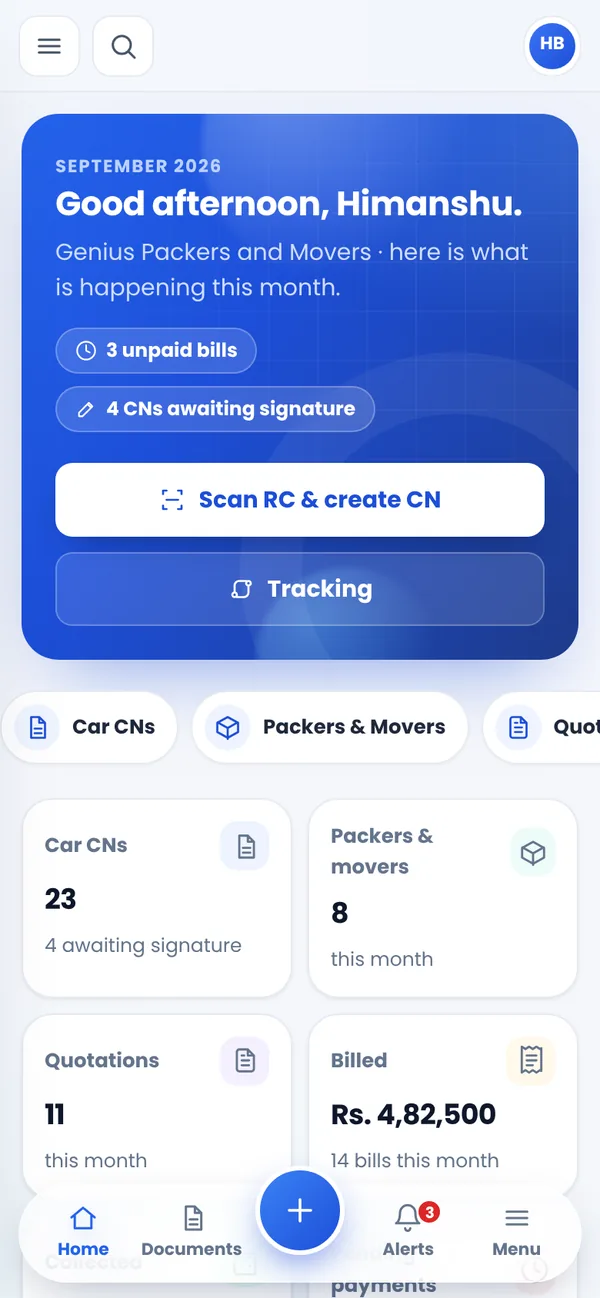
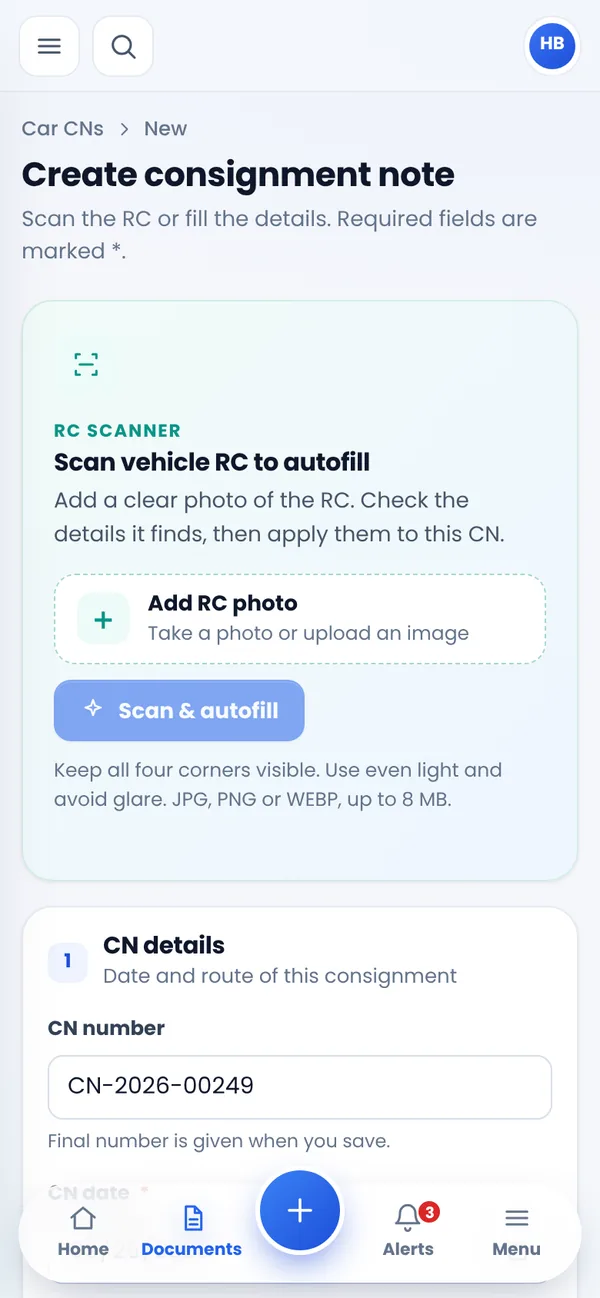
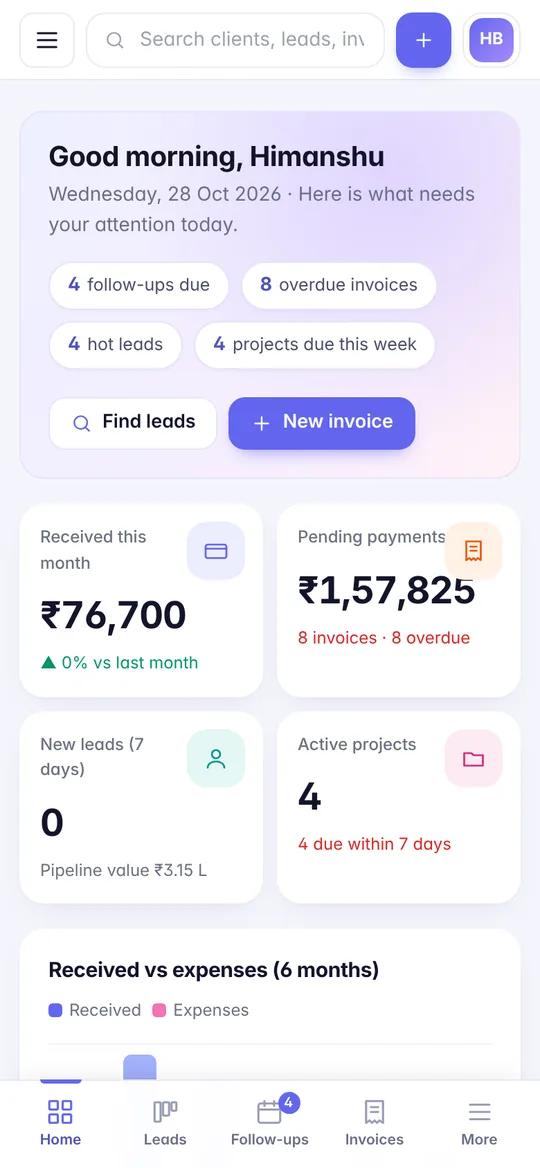
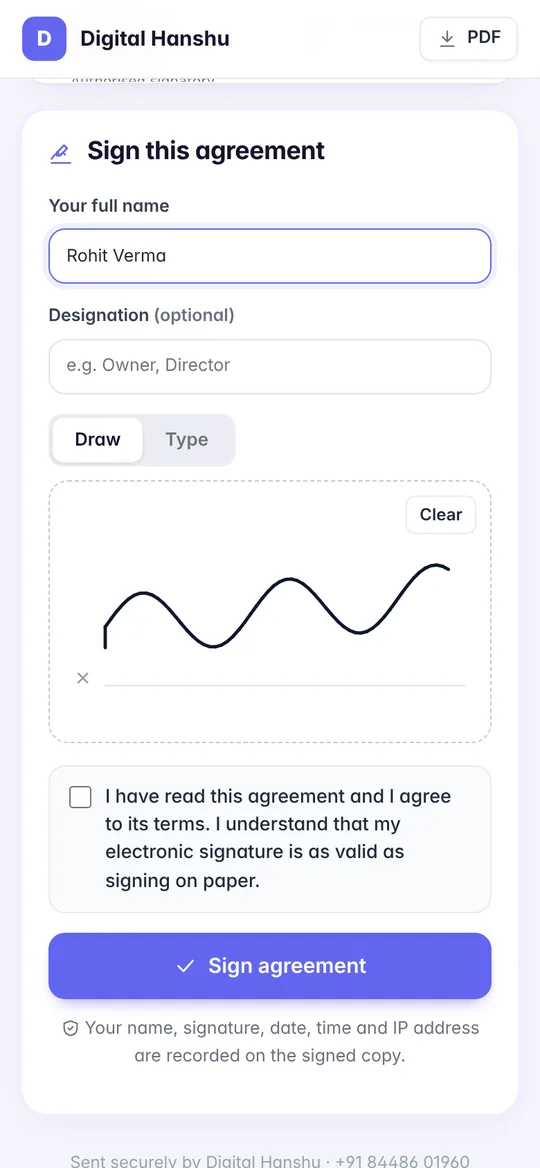
Real screens from our own apps: the TransBiz ERP Android app and the Digital Hanshu CRM installable web app (PWA).
Apps that solve real business problems
Ordering & delivery apps
Catalogue, cart, UPI payments, order tracking and delivery-partner app for shops, restaurants and distributors.
Booking & appointment apps
Slots, reminders and online payment for clinics, salons, gyms, coaching and service businesses.
Field staff & sales apps
Attendance with GPS, visit reports, orders, photos and expenses that sync with your office software.
Customer & loyalty apps
Offers, points, referrals and push notifications that bring customers back again and again.
School & parent apps
Homework, attendance, fees, notices and results for parents – connected to your school software.
Progressive Web Apps (PWA)
Installable web apps that open full-screen, work on any phone and update instantly – at a lower cost than store apps.
Choose the right option for your budget
Android & iOS app (Flutter)
Best when you need the Play Store and App Store, heavy use of the camera, GPS or Bluetooth, or offline work.
- Listed on Play Store & App Store
- Full device features & offline mode
- One codebase for both platforms
Progressive Web App (PWA)
Best for a faster launch at a lower cost: customers install it from your website in one tap and it updates automatically.
- No app-store approval or fees
- Works on Android, iPhone & desktop
- Same code as your website – easy to maintain
From idea to app store
Idea & scope
We define users, key screens and the features for version 1 – keeping it lean.
UI/UX design
Simple, thumb-friendly screens designed and shared as a clickable prototype.
Build & test
Development with test builds on your own phone every week, plus the admin panel.
Publish & improve
Play Store / App Store publishing, analytics and regular updates based on real usage.
How to choose a mobile app development company in Gurgaon
An app is not just a set of screens. Behind every app sits a server, a database, an admin panel for your team, store listings, privacy policies and regular updates whenever Android or iOS changes. When you speak to app developers in Gurugram or anywhere in Delhi NCR, these questions quickly show who has shipped real apps and who has not:
Will they help you cut version 1 down to size?
The most common reason apps fail is that the first version tries to do everything. A good team will push back, help you pick the few features that deliver value from day one, and plan the rest for later updates based on how people actually use the app.
Is the admin panel and backend included?
Someone has to add products, approve bookings, send notifications and see reports. Make sure the quote clearly covers the backend and web admin panel – not only the app your customers see.
Whose developer accounts will be used?
Your app should be published under your own Google Play Console and Apple Developer accounts. If it sits in the developer’s account, moving it later is complicated and you may lose reviews and downloads.
What happens after launch?
Google and Apple regularly update their requirements, and older apps can be removed from the stores if they are not kept up to date. Ask how updates, crash fixes and OS compatibility are handled, and at what cost.
Android, iOS or both? Planning for Indian users
In India, most smartphone users are on Android, often on budget and mid-range phones with limited storage and patchy mobile data. That shapes good design: small app size, screens that load quickly on slower networks, large tap targets and support for regional-language text where needed. iPhone users matter too, particularly for premium consumer brands, professional services and B2B apps used by decision-makers.
For most SMEs, Flutter app development is the practical answer: one codebase produces both an Android app and an iOS app, so features launch on both platforms together and maintenance stays simpler. Fully native Android (Kotlin) or iOS (Swift) development is worth the extra effort mainly for apps with very heavy device-level work.
App development cost in India – what affects the price
- Number of user types – a single customer app is smaller than a customer app plus a delivery-partner app plus a vendor app.
- Screens and flows – sign-up, profile, catalogue, cart, booking, chat and so on each need design, build and testing.
- Real-time features – live tracking, chat and instant notifications need extra backend work.
- Payments and integrations – UPI and payment gateways, SMS/WhatsApp OTP, maps, or links to your existing software.
- Offline use – field-staff apps that must work without network and sync later take more effort.
- Platform choice – a PWA is usually the most affordable, Flutter covers both stores efficiently, and separate native apps cost the most.
We share a fixed quote after a free consultation, with every feature of version 1 written down so the scope is clear.
What to prepare before you talk to app developers
You do not need a technical document to start. A little preparation, though, makes the first discussion far more useful and the quote far more accurate:
- Who will use the app – customers, delivery staff, sales teams, vendors or your own managers – and what each of them needs to do.
- The one main job of the app – for example “book a service in under a minute” or “record a site visit with photos”.
- Two or three apps you like, and what you like about them. This helps us understand the feel you have in mind.
- How you work today – the forms, Excel sheets or WhatsApp messages the app will replace.
- Existing systems such as your website, billing software or CRM that the app should connect to.
- Your launch timing – a festive season, a new branch opening or a marketing campaign.
With this, we can suggest whether a PWA, a Flutter app or a larger platform fits best, and what version 1 should and should not include.
Three ways to get started
Starting scopes we tailor to your idea. You get a fixed quote after a free consultation – no surprises later.
PWA launch
A fast, installable web app for businesses that want an app-like experience without app-store steps.
- Installs from your website in one tap
- Works on Android, iPhone and desktop
- Push notifications and login
- Shares the backend with your website
Business app (Flutter)
A single customer-facing app on the Play Store and App Store, for bookings, orders, loyalty or service requests.
- Android and iOS from one codebase
- Web admin panel for your team
- UPI / payment gateway integration
- Store listing and publishing
Multi-app platform
For marketplaces, delivery, cab or field-service models that need separate apps for different users.
- Customer, partner and staff apps
- Live tracking, maps and notifications
- Commission, wallet or settlement logic
- Connected to your business software
Native vs Flutter vs PWA: side-by-side
There is no single “best” technology – only the best fit for your users, features and budget. This is how the three options usually compare:
| Factor | Native (Kotlin / Swift) | Flutter | PWA |
|---|---|---|---|
| Platforms | Separate app for each | Android + iOS, one codebase | Any modern browser |
| App stores | Yes | Yes | Not required |
| Device features | Full access | Nearly full access | Limited, varies on iPhone |
| Relative cost | Highest | Moderate | Lowest |
| Updates | Through store review | Through store review | Instant, from your server |
| Best for | Very hardware-heavy apps | Most business and consumer apps | Quick launch, repeat customers, internal tools |
Our own products show the range: the TransBiz ERP Android app is used by transport teams for daily operations, while Digital Hanshu CRM runs as a PWA that staff install straight from the browser. Many clients start with a PWA, learn what users want, and move to a Flutter app later on the same backend.
Planning to promote your app? A clear landing page and a short marketing plan make a big difference to installs. Our digital marketing services can help once the app is live.
Serving Gurugram, Delhi NCR & all of India
We are based in Palam Vihar Extension, Gurugram. Founders and business owners in Gurugram, Delhi, Noida, Greater Noida, Faridabad and Ghaziabad can meet us in person to sketch out the app, review the clickable prototype and test builds together on real phones.
For clients in Mumbai, Bengaluru, Pune, Hyderabad, Chennai, Ahmedabad, Jaipur, Chandigarh and other cities, everything works remotely: scoping and design reviews on video calls, weekly test builds installed directly on your phone, and quick updates on WhatsApp. You can follow progress closely without travelling.
See our app work, including TransBiz ERP, alongside booking-focused projects such as the AI Cabs taxi website, in our portfolio, or contact us to talk about your idea.
Frequently asked questions
How much does it cost to make an app in India?
A PWA or simple app costs less than a full marketplace app with multiple user types. The final price depends on screens, features and the admin panel. We share a fixed quote after a free discussion.
How long does app development take?
A focused version 1 usually takes 6–12 weeks including design, testing and store publishing.
Will you publish the app on Play Store and App Store?
Yes. We prepare the listing, screenshots and privacy details and publish under your own developer accounts so the app belongs to you.
Do I need a website as well?
Usually yes – the website brings new customers from Google, while the app keeps existing customers engaged. We can build both on the same backend.
What is a PWA?
A Progressive Web App is a website that can be installed on the phone like an app, opens full-screen and can send notifications. It is quicker and more affordable to build and maintain.
Who owns the app and its source code after development?
You do. The app is published under your own Google Play and Apple Developer accounts, the backend runs on hosting in your name, and the complete source code is handed over on final payment. That means you control the store listing, reviews and user data, and you can continue updates with us or with any other developer later.
Should I build an Android app first or both Android and iOS together?
If budget is tight and most of your customers use Android, launching on Android first is a reasonable step. With Flutter, though, the iOS version comes from the same codebase, so adding it is far cheaper than building a second app. We usually suggest launching both together unless your users are almost entirely on one platform.
What are the ongoing costs of running a mobile app?
Expect yearly costs for server hosting, the Apple Developer membership, and services such as SMS/OTP, maps or push notifications depending on usage. Google Play has a one-time registration fee. Regular maintenance is also recommended to keep up with new Android and iOS versions. We list all of these clearly in the quote.
Can you develop an app for my business if I am not in Gurgaon or Delhi NCR?
Yes. We build apps for clients across India. Scoping, design reviews and demos happen on video calls, and you receive test builds on your own phone every week. If you are in Gurugram or nearby NCR cities, we can also meet in person. Contact us to discuss your app idea.
Can my app connect to my existing website, CRM or billing software?
Yes. Apps can share the same backend as your website, so products, prices and orders stay in sync. We can also connect apps to existing systems through APIs – for example, sending orders into your billing software or leads into our CRM – so your team does not type the same data twice.
Have an app idea?
Share it with us – we will tell you honestly whether a PWA or a store app is right, and what version 1 should include.